ADR workflow tool
The take sheet, the cue list, and the DAW markers - finally in one place.
Track takes during the session, mark the keepers, and walk out with PDF reports, CSVs, and AAF/OMF markers ready for the DAW. Cue data can come in from CSV, tab-delimited, or PDF spotting sheets.
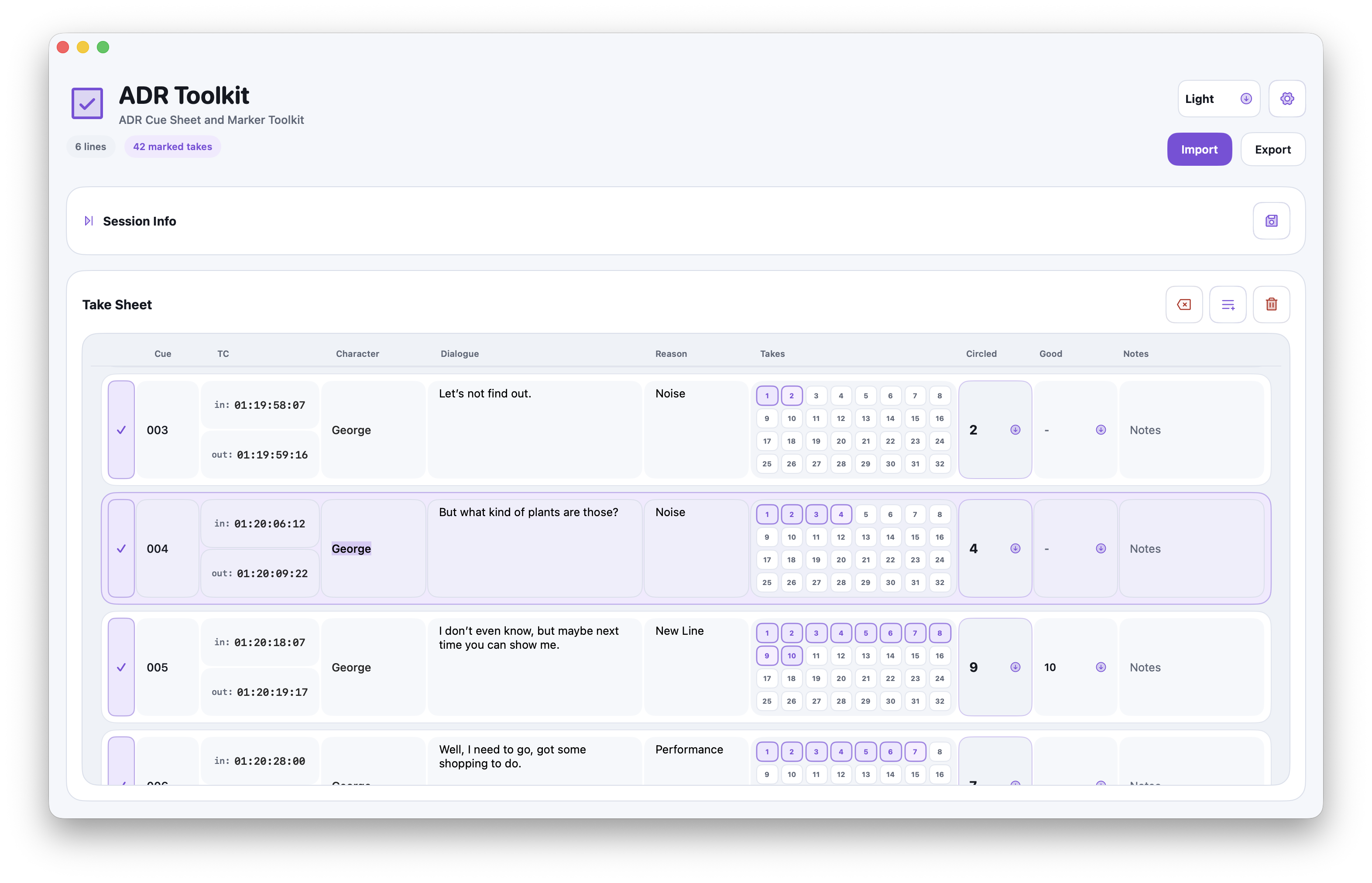
- Take counts per line
- Marked selects
- CSV/TAB/PDF import
- AAF/OMF export for DAWs
At a glance
- See total takes per line
- Mark preferred takes quickly
- Import CSV, TAB, or PDF cue data
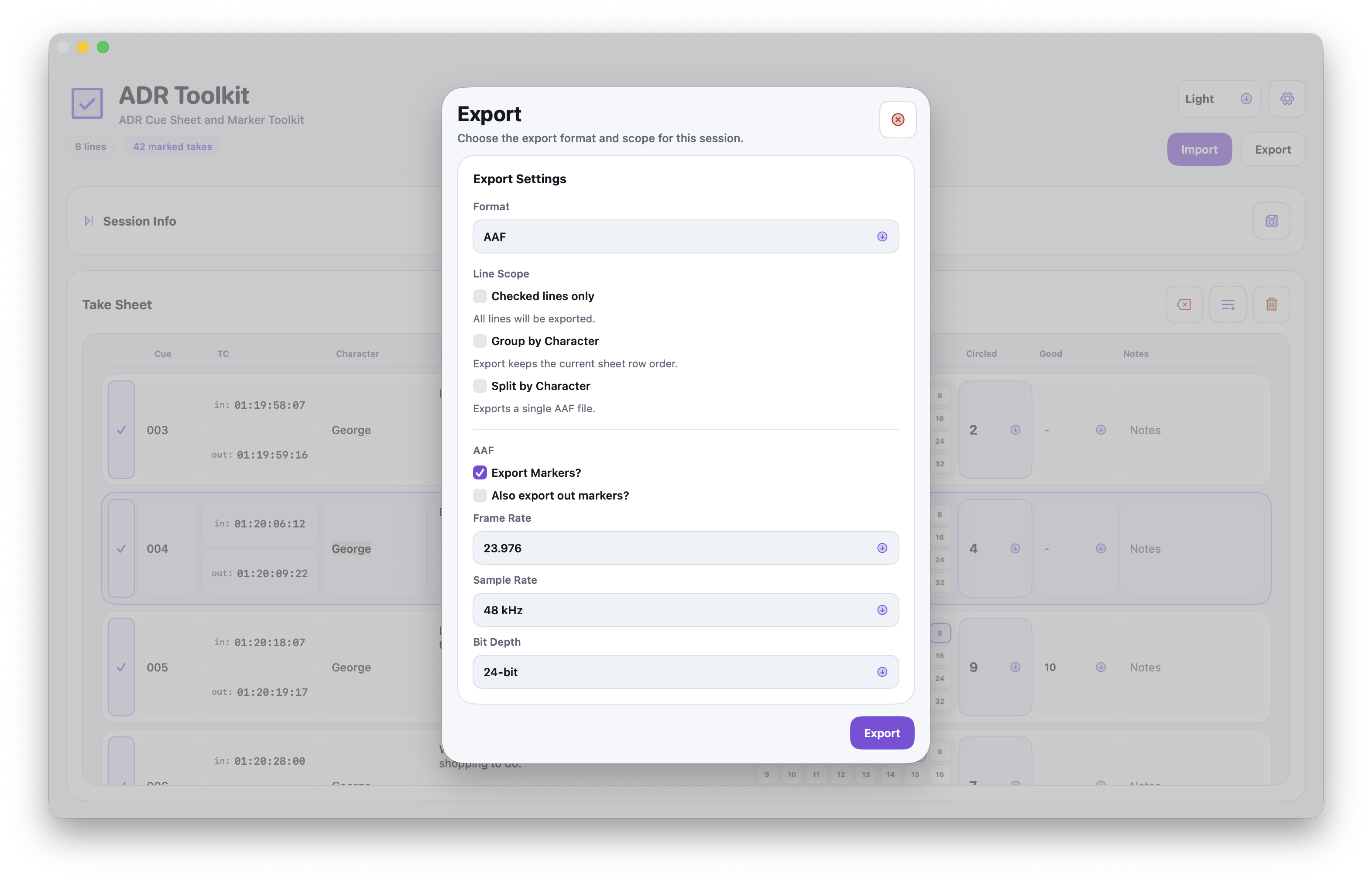
- Export PDF, CSV, and AAF/OMF for DAWs
Workflow
Cue list in, marked takes out.
Import the spotting sheet, count takes as they happen, flag the circled ones, and export whatever the next stage actually asks for.
- Live take counts per line.
- Mark the selected take, or a shortlist for review.
- Import from CSV, tab-delimited, or PDF.
- Export PDF, CSV, or AAF/OMF straight into the DAW.
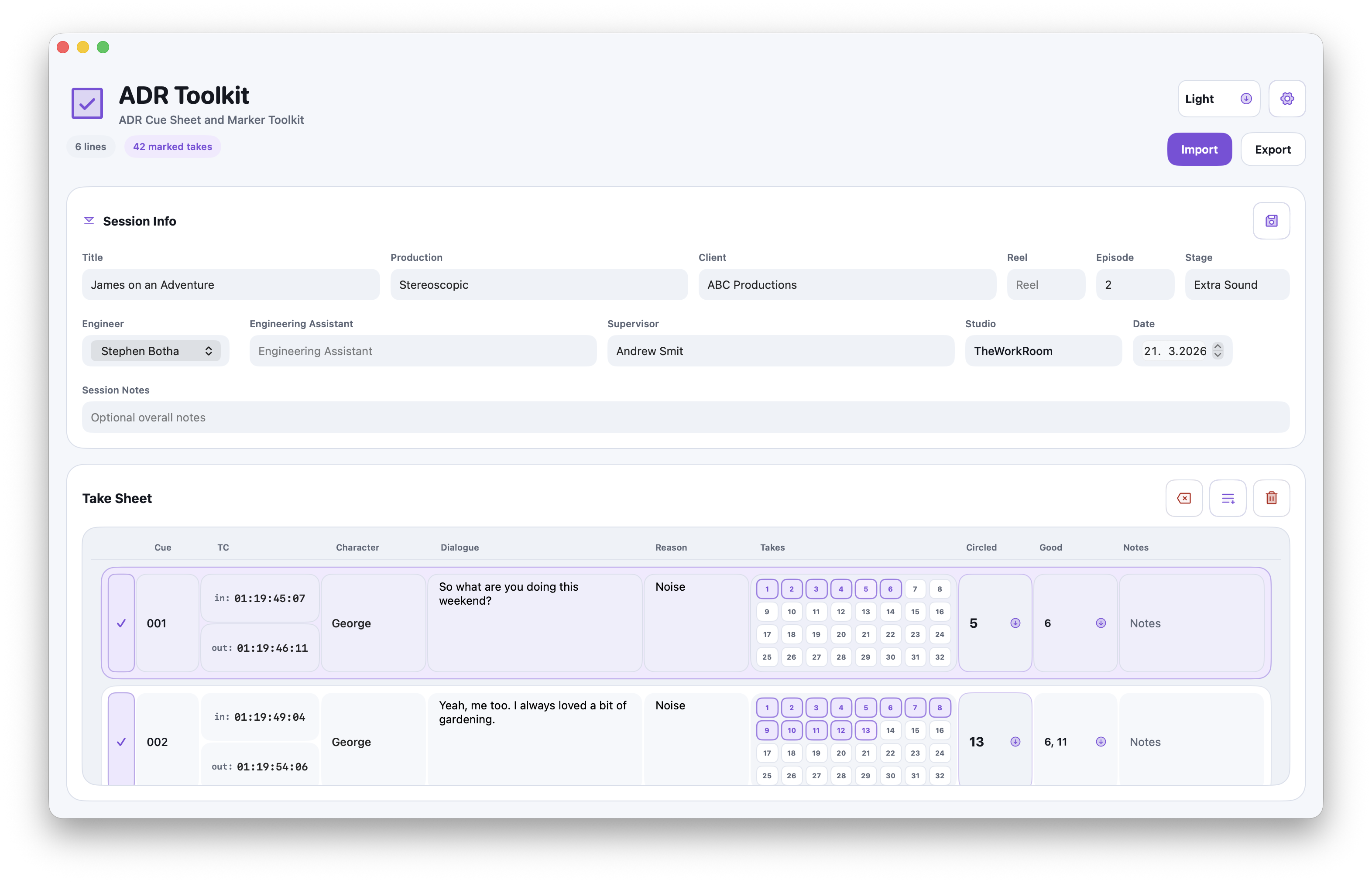
- Drop in a logo - PDF exports pick up the matching colours.
Import
Whatever editorial sent over, it probably comes in.
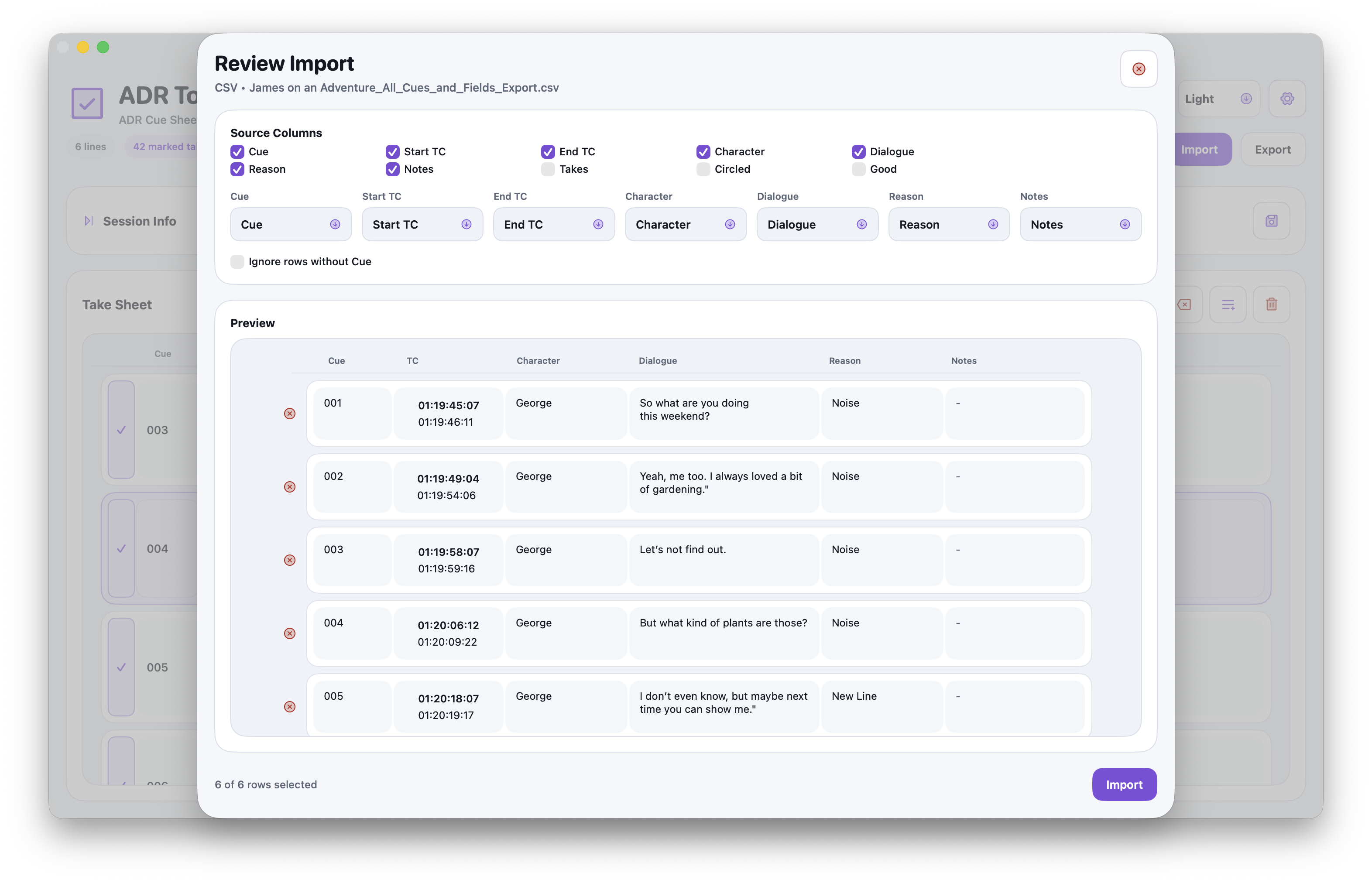
Spotting sheets show up in every format imaginable. ADR Toolkit handles the common ones so you're not retyping cue numbers at 9am.
- CSV exports from anything that touches a spreadsheet.
- Tab-delimited marker sheets from Pro Tools and friends.
- PDF cue sheets, parsed straight into the session.
- Cue names and structure stay consistent across re-imports.
Export
One session, every format the next person needs.
Approvals, archives, and the DAW all want something slightly different. Export each from the same session without rebuilding it.
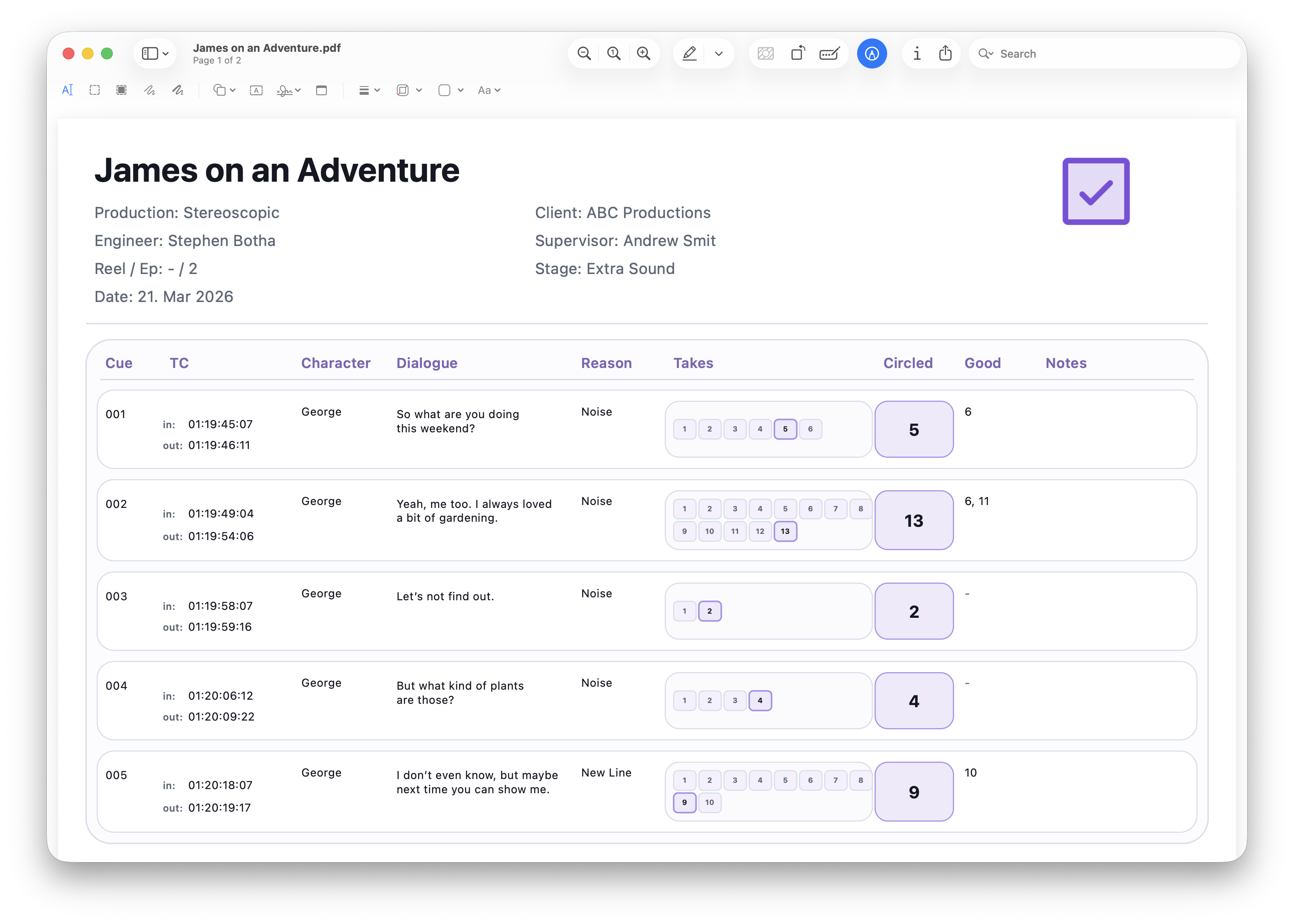
- PDF for reports and producer approvals.
- CSV for spreadsheets and downstream pipelines.
- AAF/OMF for markers and regions, straight into the DAW.
- Logo and brand colours carry through to PDF automatically.
Screenshots
What it looks like in the room.