collav

Shared storage workflow tool

Pull, push, and spin up Pro Tools sessions from anywhere on the network.

Session Commander moves sessions directly between storage and the room over SSH, builds new ones from templates, and handles naming, users, and email alerts - all from a browser tab that anyone on the team can open.

Built for the moment when room 2 needs tomorrow's session prepped and room 1 is still mixing.

  • Restore and backup
  • New sessions from templates
  • Naming schemes
  • Multi-location setup
  • Users and auth
  • Email alerts
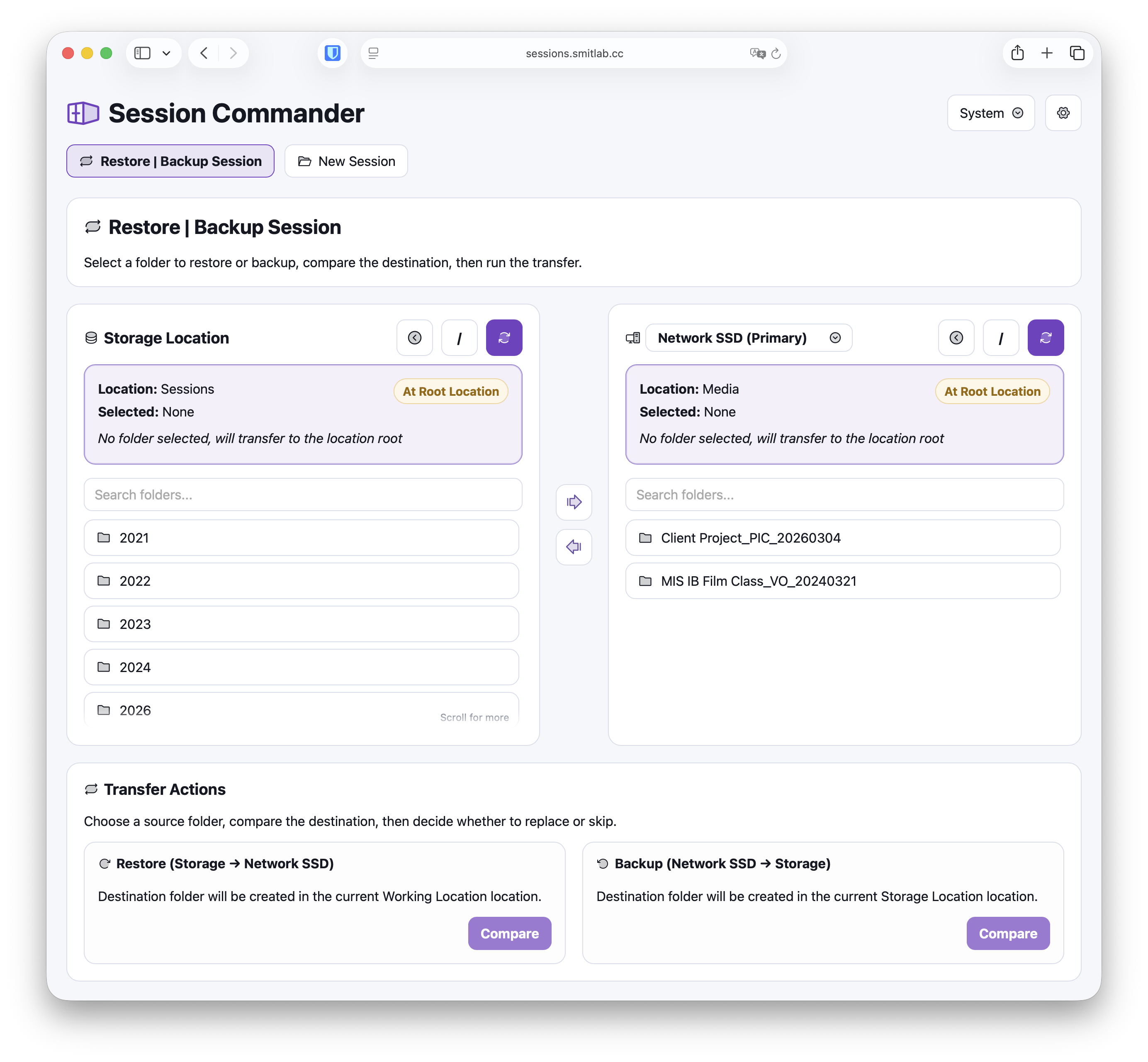
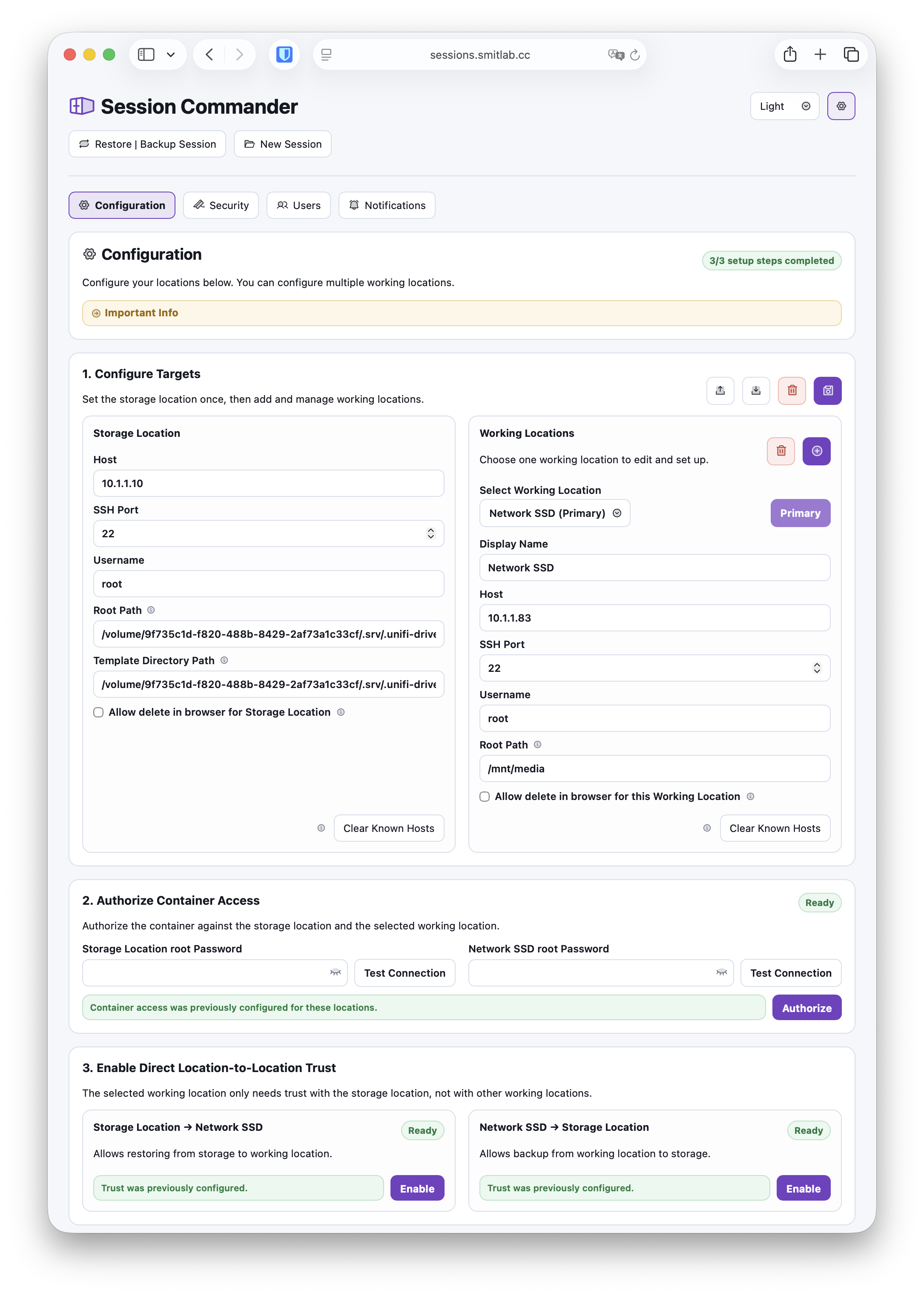
Session Commander showing side-by-side storage and working locations for direct session transfer

At a glance

  • Direct storage to working transfers
  • Compare before replace
  • Template-based new sessions
  • Saved naming schemes
  • Optional authentication
  • Email alerts

Workflow

Move sessions in the time it takes to grab a coffee.

Storage on one side, the room on the other. Pick the session, hit go, and watch the only numbers that matter.

  • Restore or back up between storage and working locations.
  • Compare size and modified time before overwriting anything.
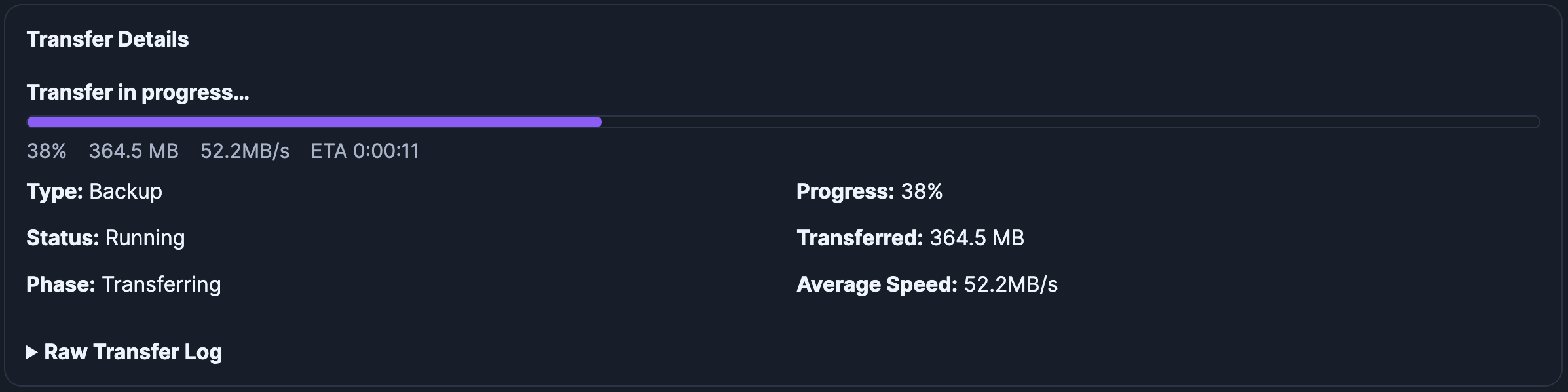
  • Live progress, speed, and raw logs while the copy runs.

Templates

New sessions, ready before the room is.

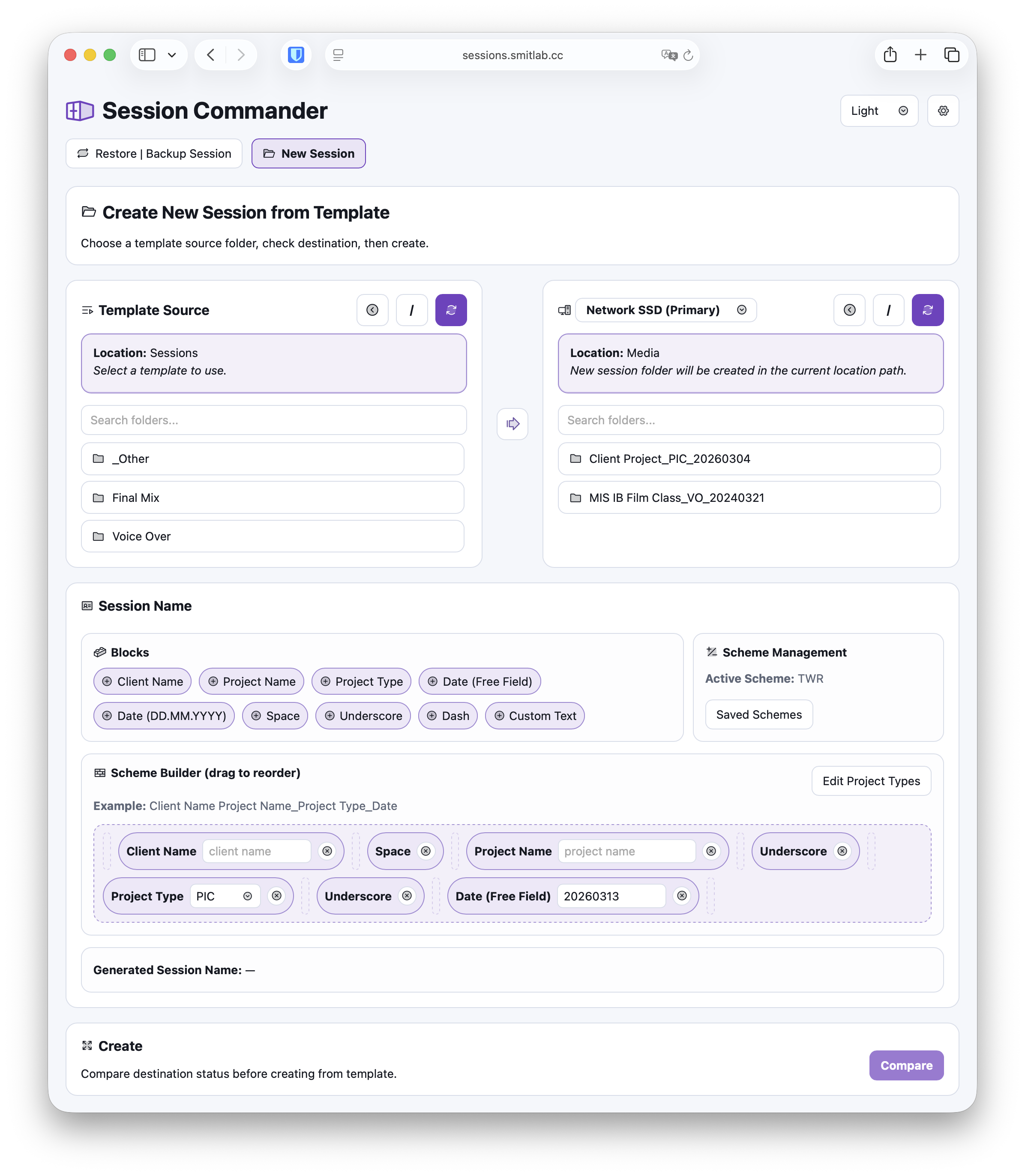
Template, destination, and naming all in one view. No swapping between Finder windows, no copy-paste, no typos in tomorrow's session name.

  • Use any stored Pro Tools session folder as a template.
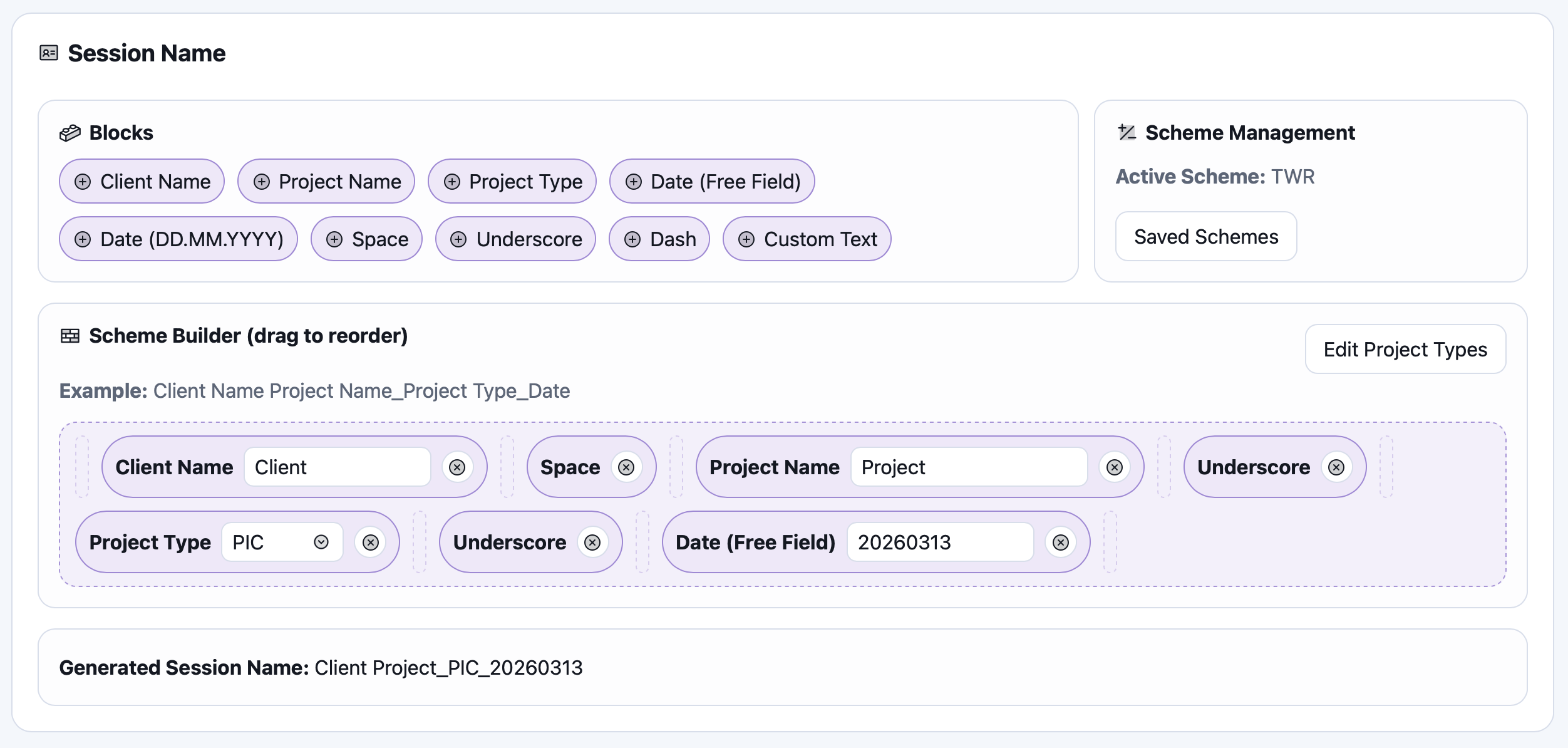
  • Assemble names from saved blocks - client, project, date, take.
  • Compare the destination before anything gets created.

Setup and controls

Set up SSH trust once. Hand the URL to the team.

The setup flow walks you through container access and direct trust. After that, auth and email alerts make it safe to leave running in a shared facility.

  • Authorize container access and direct trust in both directions.
  • Configure storage, working, and multi-room setups.
  • Add users, sign-in, and SMTP alerts when the team grows.

Storage

Backups and template source.

Working

Destination share or local folder.

Container

Coordinates SSH without relaying files.